 Digicove
Life's most important things, safe and within reach.
Your IDs, cards, policies, documents and codes in one private vault, on every Apple device you own. Share exactly what matters with the people you trust.
Not another password manager
For everything that isn't a password.
Password managers are great at logins. The rest of life's paperwork ends up in a drawer, a shoebox or a photo you can never find. Digicove is for the rest.
Where it usually lives
- A photo of the insurance card, somewhere in your camera roll
- The alarm code, on a sticky note in the kitchen
- Passport numbers, in someone else's head
- The warranty, in a drawer you'll check after it expires
Where it lives with Digicove
- One vault, organized by what things are
- Scans and photos attached, encrypted
- On your phone, your Mac and your spouse's phone
- Found in seconds, not in a drawer
Every device
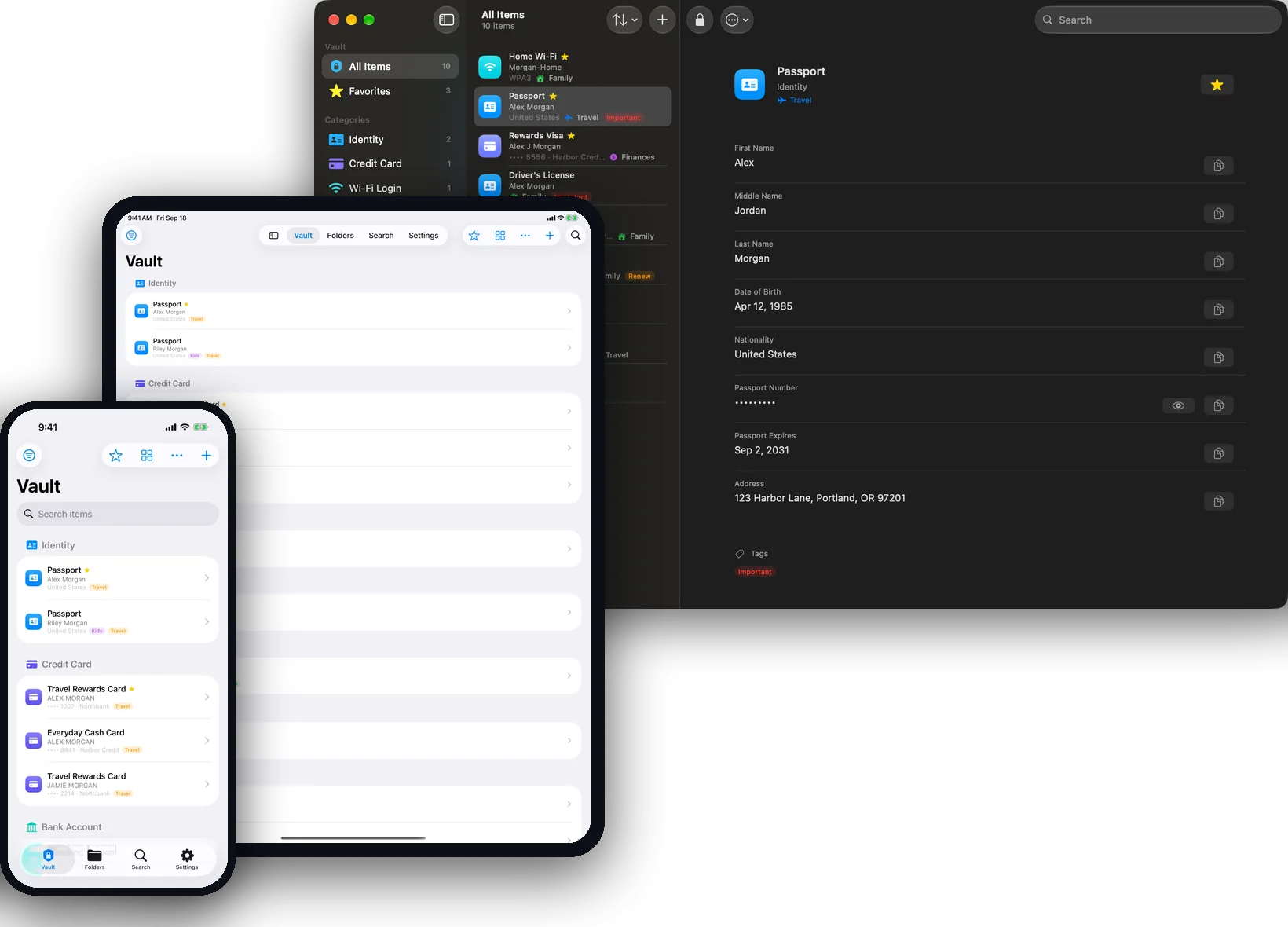
One vault. iPhone, iPad and Mac.
Add a passport on your iPhone at the airport and it's on your Mac when you get home. Same vault, same password, kept in sync through your own iCloud. One purchase covers every device.
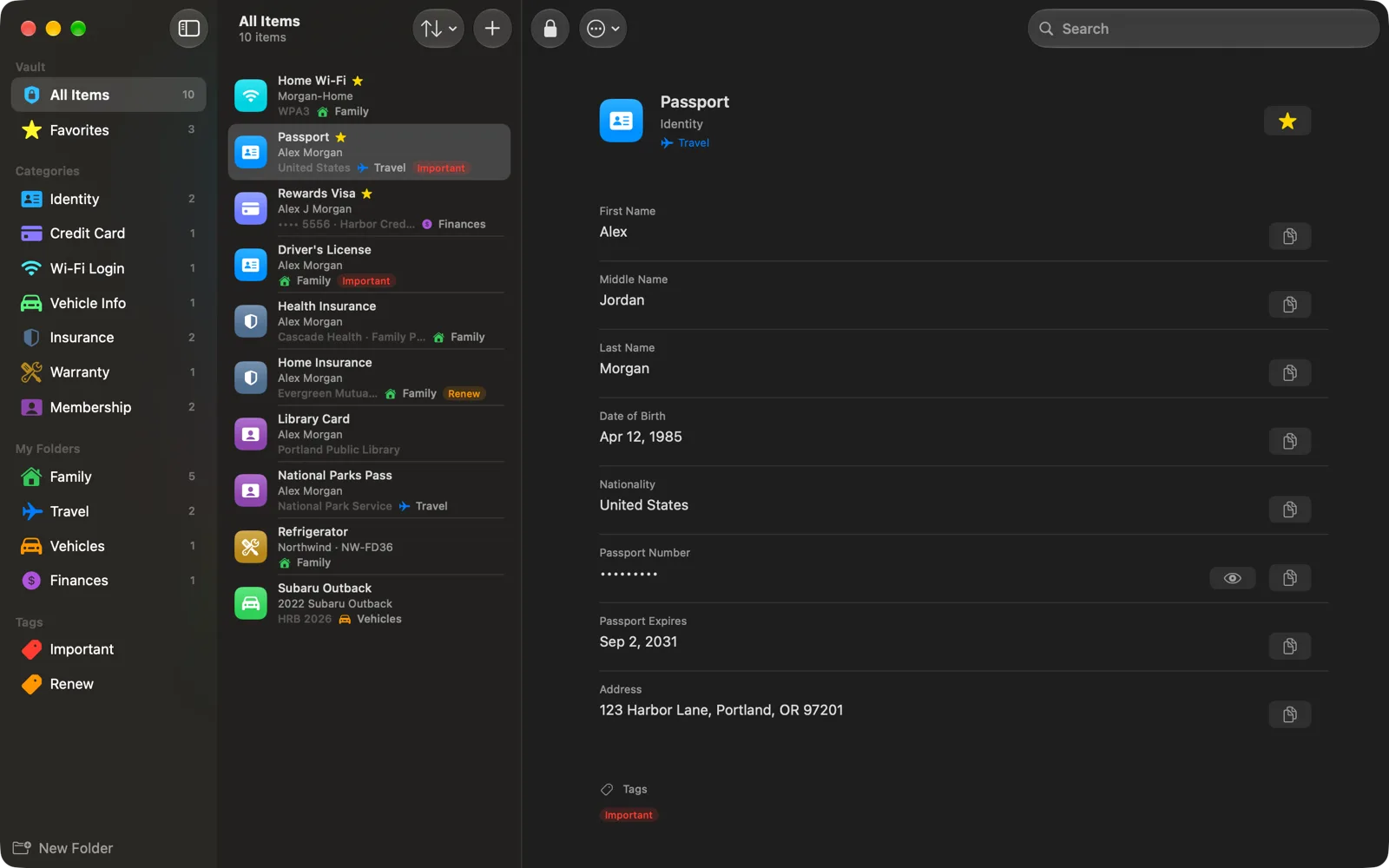
Built for each screen
Your whole vault in your pocket on iPhone. A sidebar, a list and the details side by side on iPad and Mac, with keyboard shortcuts for everything you do often.
Always current
Changes reach your other devices on their own. Need it this second? Pull down on the list or choose Sync Now.
One purchase
Buy once and Digicove is yours on iPhone, iPad and Mac, with nothing extra to set up.
Features
Built to be found fast.
When the hotel wants the card number or the doctor wants the policy, it's in your hand in seconds.
Scan it once, and it's filled in.
Point your camera at a passport, a driver's license, a card or a vehicle registration and Digicove fills in the details. Your device reads the scan itself, so nothing is uploaded, and you confirm every field before it's saved.
- Passports, driver's licenses (front or barcode), cards and registrations
- Works from a photo or PDF, and from your iPhone's camera held up to your Mac
- The scan stays with the item, encrypted
- Part of Digicove Family
Found in seconds.
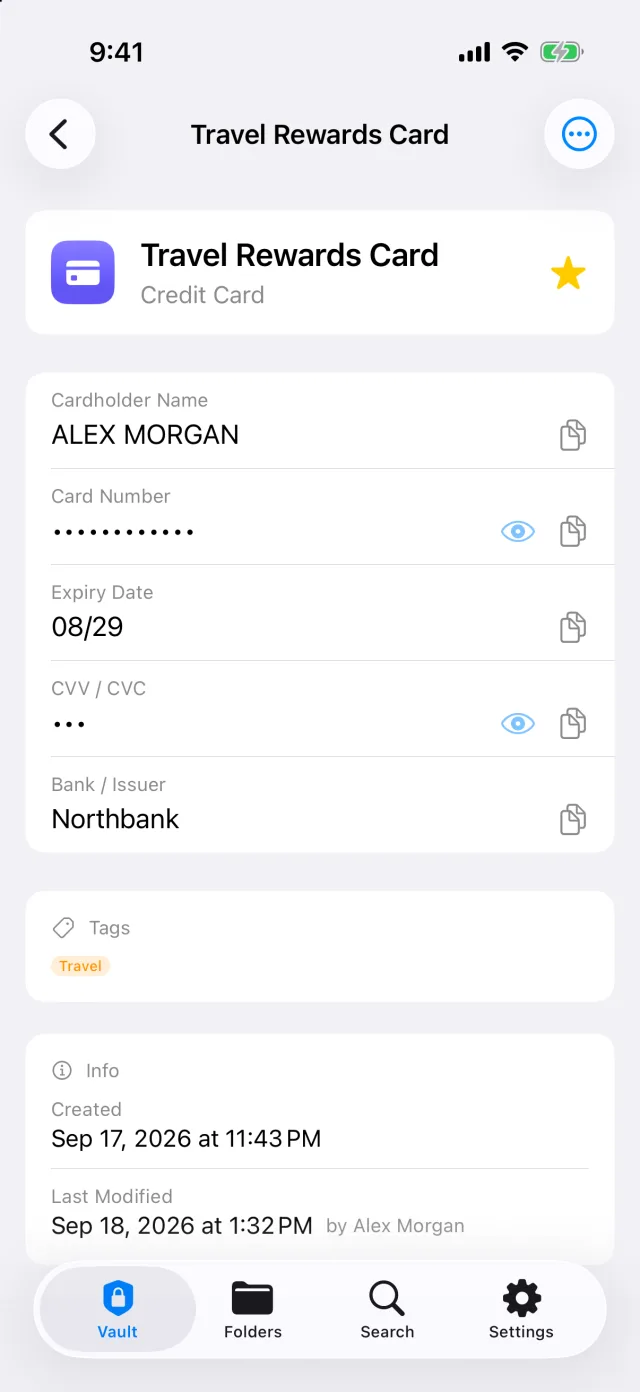
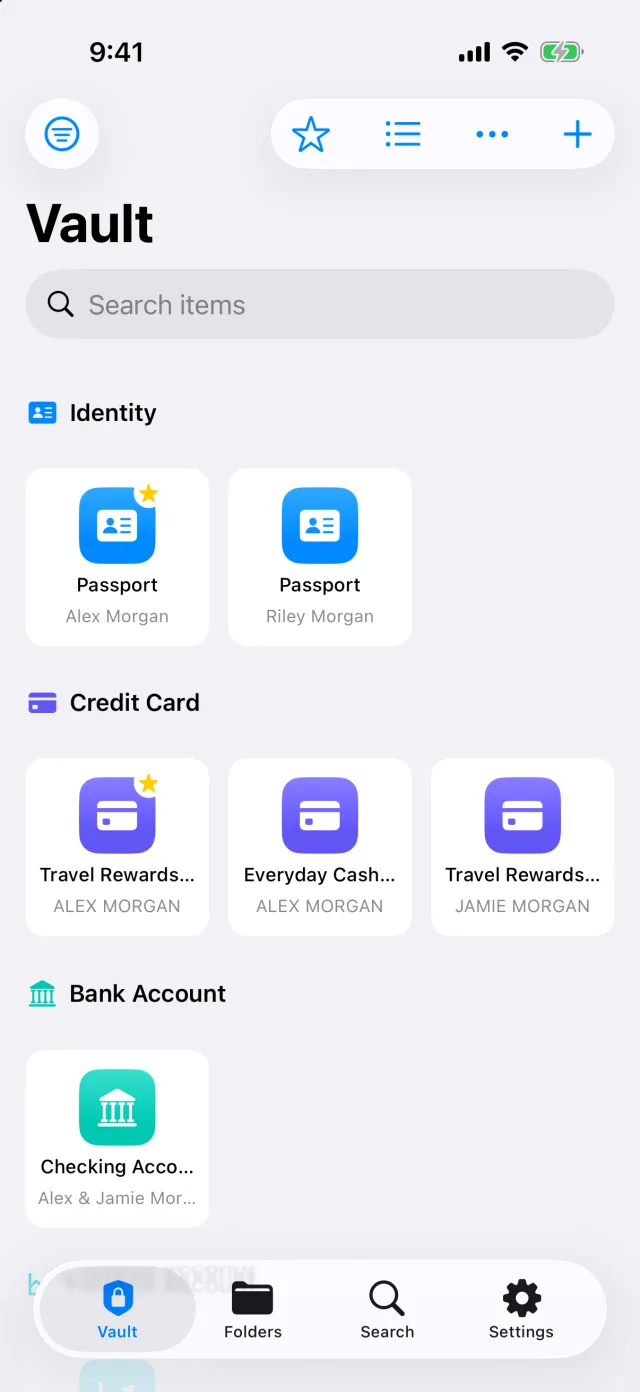
Search by name, person, folder or tag, and every item shows who it belongs to and the number that tells it apart. Two identical cards for two different people are never a guess.
- Folders, tags and favorites, in a list or as icons
- Ask Siri or use Shortcuts to open any item
- Copy any field in one tap
Reminders before things expire
Passports, licenses, registrations, policies and warranties. Choose how far ahead, from a week to six months, and Digicove tells you in time.
Your own categories
Fourteen built-in categories come with the right fields. Add your own with exactly the fields you need.
Your data stays yours
Bring everything in from a spreadsheet or another app, and export it all, scans included, whenever you want.
What it holds
A place for every kind of important thing.
Each category comes with the fields that belong to it, so you are never staring at a blank note wondering what to write down.
Security & privacy
Private by design.
Digicove has no servers. Your vault lives in your own iCloud, and the sensitive parts are encrypted on your device before they go anywhere.
Encrypted on your device
Numbers, codes, scans and photos are sealed with AES-256 before they're saved or synced. Every shared folder has its own key.
Yours alone
We never see your data and never hold your key. Your recovery key is the only way back in, and it's in your hands.
Locked the moment you step away
Face ID or Touch ID to open. Auto-lock, lock when your Mac sleeps, a cover in the app switcher, numbers masked until you need them, and copied values cleared after two minutes.
Pricing
Free for one. Shared with the people you trust.
Keeping your own vault is free. Family adds sharing, scan to fill, tags and more, monthly or yearly.
Free
$0
For one person, forever.
- Unlimited items
- Attachments and scanned documents
- Every built-in category
- Sync across your iPhone, iPad and Mac
- Face ID, Touch ID and auto-lock
Family Monthly
$2.99 / month
Billed monthly. 7-day free trial.
- Everything in Free
- Share folders with people you trust
- Edit or view-only access for each person
- Scan to fill in the details
- Tags across every folder
- Send an item by Messages, Mail or AirDrop
- Your own categories and fields
- Export everything to a spreadsheet
Family Yearly
$19.99 / year
About $1.67 a month. 7-day free trial.
- Everything in Family Monthly
- Five months free compared with paying monthly
- One payment a year, nothing to think about
One subscription covers everyone you share with: the people you invite don't pay to open your folders. Billed through the App Store; cancel anytime in Settings.
Questions
Good to know.
Can Digicove see what I store?
No. We don't run any servers. Your vault is stored in your own iCloud, and we never have the key that unlocks it.
How is my information protected?
The details you save — numbers, codes, notes, scans and photos — are encrypted on your device before they're saved or synced to iCloud. Digicove uses AES-256 encryption, the same standard banks use, and the key is protected by your vault password.
Is everything I store encrypted?
Everything in an item's fields is. Item titles, the short line under each title, and folder and tag names are protected by iCloud instead. Keep numbers and codes in the fields, not in the title — for example, title it "Passport" and put the passport number in its field.
What happens if I forget my password?
Use your recovery key. Digicove offers a recovery key when you set up your vault, or anytime in Settings. Print it or write it down. If you forget your password, tap "Forgot password?" and enter the key to choose a new one. Without it, the vault can't be opened, because we never have a copy of your key — so keep the recovery key somewhere safe, away from your phone.
Does everyone I share with need to pay?
No. Sharing is part of Digicove Family, and only the person who shares a folder needs it. The people they invite don't pay to open it.
Can I keep some things to myself?
Yes. Everything in your vault is yours alone until you share a folder. Only that folder, and the folders inside it, go to the people you invite.
What do the people I invite need?
An iPhone, iPad or Mac with Digicove installed, and an Apple Account signed in to iCloud. Digicove is Apple-only for now.
Is there a Mac app?
Yes. Digicove for Mac opens the same vault as your iPhone, with the same password, and it's included with your purchase. It needs macOS 14 Sonoma or later.
Will Digicove remind me before something expires?
Yes. On any item with a date, like a passport, license, registration or warranty, turn on a reminder and choose how far ahead: from a week to six months before. The reminder comes from your device itself, so the date never leaves it.
When I scan a document, where does the text go?
Nowhere. Your iPhone or Mac reads the scan itself, and nothing is uploaded. You see what was found and choose what to fill in before anything is saved.
Where do scans and photos go?
Into your iCloud, encrypted, alongside the rest of your vault. They count toward your iCloud storage like any other file; folders someone shares with you count toward theirs. Vault Tools shows how much space your vault uses.
Can I take my data with me?
Yes. On the Family plan, you can export everything as spreadsheet files, with your scans and photos included.
Can I bring in what I already have?
Yes. You can import spreadsheet (CSV) files. Digicove matches the columns to the right details, and it skips anything that's already in your vault. Scans and photos need to be added by hand.